Community Library for The Sims 4! Описание:Это скорее API, а не сам мод. Он предназначен для использования другими разработчиками Sims 4 в качестве основы для своих кодовых баз. Если у вас уже установлен мод, который требует использования этой библиотеки, то вы можете установить ее. В противном случае, установка не является обязательной.
Русский перевод от
Helvetica:
Скачать (3.17)
Русский перевод от
Origamika:
Скачать (10/28/2020)
ДокументацияTo start creating mods with S4CL, check out the
project template !
Requirements:- The Sims 4 Version at least 1.93.129.1030 (High School Years)
Changelog:
https://github.com/ColonolNutty/Sims4CommunityLibrary/releases
- Vanilla Tuning identifiers for:
- Buffs
- Interactions
- Relationship Bits
- Relationship Tracks
- Short-Term Relationship Bits
- Motives
- Many Others!
- Logging
- Log messages to a file
- Log custom exceptions
- Log the current stack trace, find out who or what is calling your functions!
- Useful when debugging code!
- Enable / Disable logs via a command in-game. `s4clib.enable_log < log_name >`
- Exception Handling
- Log to a file exceptions that are thrown
- Catch exceptions within your functions via a decorator
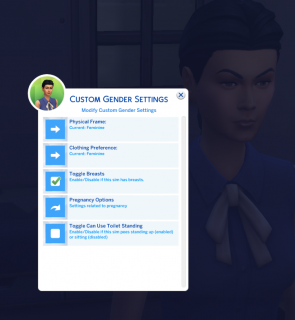
- Custom Dialogs
- Ok / Cancel Dialog
- Choose Object Dialog
- Choose Sim Dialog
- Custom Icons:
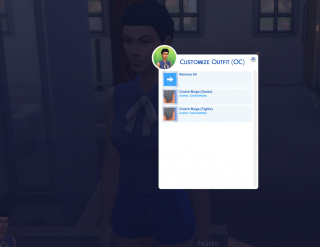
- Right Arrow
- Navigate Into Arrow
- Question Mark
- Six Sided Dice
- Checked Box
- Unchecked Box
- Notifications
- Sim Icons
- Warnings
- Errors
- Info
- Story Dialogs (Add custom buttons, add sim icons)
- Sim Picker
- Prompt the player to choose a sim or a number of sims from a dialog.
- Custom Notifications
- Basic Notification - Display a notification with a title and description of varying urgency.
- Interactions
- Registration
- Register Interactions to:
- Terrain
- Ocean
- Objects (Sims, Furniture, etc.)
- Custom Interactions
- Create interactions the run Python code in their backends
- Interaction Types:
- CommonInteraction - Inherit from this to hook into an interaction and add python functionality to its functions
- Immediate Super Interaction - An interaction that doesn't require a target to perform. It is started immediately and without an animation.
- Super Interaction - Like the Immediate Super interaction but these require a target to perform. (sim_chat is one example of a Super Interaction)
- Mixer Interaction - Use this for custom Mixer interactions.
- Social Mixer Interaction - Use this for custom Social Mixer interactions.
- Terrain Interaction - Use for interactions that appear when clicking on the ground.
- Perform logical checks to determine whether or not to show an interaction
- Or display an interaction as disabled, with a displayed tooltip that shows when the player hovers the interaction.
- Run Python code when an interaction is started, cancelled, or has finished.
- Custom Interaction Tooltips
- Display tooltips on interactions that display on hover.
- Locate CommonInteraction for an example of how to utilize custom tooltips in your own interactions.
- Event Handling
- Create, Dispatch, and Handle Dynamic Events
- Handle events without needing a reference to the code that sends the event.
- Decouple that code!
- Interval Events
- Run functions on millisecond intervals.
- Run functions once, after an amount of time has passed.
- Interaction events (Queued, Started, Ended, Interaction Outcomes)
- Sim
- Spawn - Occurs when a Sim spawns or is born into the world.
- Initialization - Occurs when a Sim is initialized (before being spawned).
- Occult Swapping - Occurs when a Sim changes to a different Occult (i.e. Human to Mermaid or Human to Vampire or vice verse)
- Zone Events
- Zone Update - Occurs every time the zone updates. (Basically every time the game ticks)
- Zone Teardown - Occurs every time the zone is torn down. Occurs before a loading screen, but only after a Zone had been previously loaded. (See Zone Early/Late Load)
- Zone Save - Occurs every time a zone is saved. This occurs before the game saves for the player. Be careful with this one!
- Zone Early Load - Occurs when a zone is loaded, but before the players household has loaded.
- Zone Late Load - Occurs when a zone is loaded, but after the players household has loaded.
- Utilities
- Sim utilities
- Get the Active Sim
- Get Sim Info, Sim Instance, and Sim Ids
- Get All Sims nearby and filter which types of sims to get (Age, Species, Occult, Traits, Buffs, etc.)
- Occults - Check Occult Types of sims.
- Ages - Get/Set/Check Ages of sims.
- Genders - Get/Set/Check Genders of sims.
- Species - Get/Set/Check Species of sims.
- Buffs - Add/Remove/Check Buffs of sims.
- Traits - Add/Remove/Check Traits of sims.
- Sim State - Check various states of sims. (Wearing towel, Dying, etc.)
- Sim Spawn/Despawn - Spawn, Despawn, and Delete Sims.
- CAS
- Outfit - Set/Get/Update/Check the current outfit of sims.
- CAS Utils - Attach/Detach/Check cas parts of a sims outfit. You can put any cas part in any BodyType via these.
- Components - Get various components of objects (Statistics, Traits, Buffs, etc.)
- Resources - Load Resources or Tuning files by their identifiers. (Buffs, Traits, Statistics, Snippets, etc.)
- Icons - Load Icons provided by S4CL or your own Icons.
- Types - Determine the type of objects without needing to use isinstance or having a reference to the type itself in your own code.
- Time - Manage time. Pause the game, get/change the current game speed, get/set the time of day, etc.
- Collections - Determine if an object is a collection, combine collections, flatten collections, etc.
- Injection - Inject custom functionality into functions
- IO (Input/Output) - Write string data to a file or load string data from a file.
- Stack Trace - Retrieve the complete and full stack trace.
- Localization utilities
- Retrieve LocalizedStrings from StringTables of .package files.
- Format tokens into LocalizedStrings
- Display text in specific colors (Colors can be added by request)
- Blue
- Green
- Red
- Create Localized Tooltips - Use to display tooltips on interactions (while also displaying the interaction)
- These can be useful to give more information to the player about why something cannot be performed, instead of simply hiding that something.
- Weather
- Statistics
- Motives
- Many more!
- Testing Framework
- Write tests to test your python code and run the tests via a command within the game.
- The results will be logged to the 'Documents/The Sims 4/mod_logs' folder
- A single function can handle multiple tests utilizing the same code with different arguments.
- Run tests via the command: `s4clib.run_tests <class_names_separated_by_a_space>`
- Class Names are the names of the classes decorated with 'test_class'
- If no class names are provided, all of the tests will run.
- Download the latest zip archive above.
- Unpack the archive using your favorite archiving tool.
- Drag the files and folders to your The Sims 4/Mods directory. So `mod_data` will be at `The Sims 4/Mods/mod_data` and the other files will be at `The Sims 4/Mods`. Overwrite All if asked!
- Keep in mind that the ts4script file must be either a top level (directly in the Mods / <
ts4script file > folder) or one deep folder (Mods / Blah / <
ts4script file>). Even deeper, and nothing will come of it.
Previous versions: There is not really a reason to use an older version. S4CL is always and will always be backwards compatible.






Информация